Blog

How to Choose the Best Android Rugged Tablet PC?

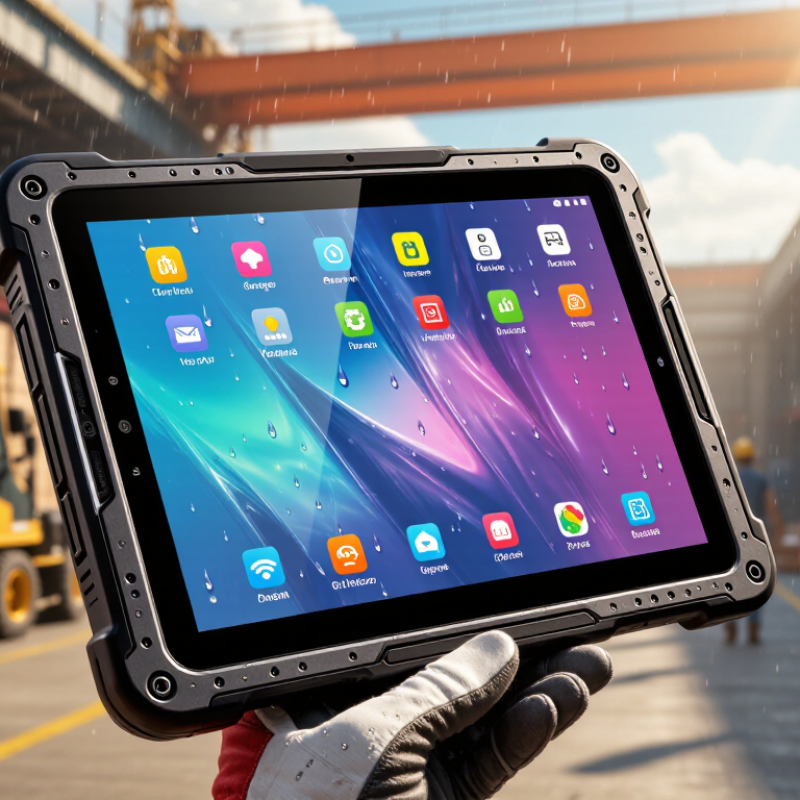
Choosing the right Android Rugged Tablet PC is no longer a simple comparison of screen size, battery capacity, and price. Field teams work in warehouses, construction zones, logistics yards, hospitals, and public-service vehicles. Their tablets face dust, rain, vibration, gloves, sunlight, and accidental drops.

Industry research shows why this market deserves careful evaluation. VDC Research identifies rugged mobile computers as essential tools for frontline workflows, especially where device failure can interrupt operations. Grand View Research also projects continued growth in the global rugged electronics market, driven by logistics, manufacturing, transportation, and industrial automation. These reports suggest strong demand, but market growth does not guarantee a suitable purchase.

David Krebs, Executive Vice President at VDC Research, has stated, “Rugged mobility is about supporting workers in demanding environments, not simply protecting hardware.” That principle matters. A tablet may carry an IP65 rating, yet still perform poorly under direct sunlight or with wet gloves. A powerful processor may look impressive, but weak software support can create security and maintenance problems later.

This guide examines the details that are easy to overlook. We will compare Android versions, MIL-STD-810H testing, repairability, barcode-scanning options, battery replacement, connectivity, and enterprise management. Some specifications remain difficult to verify across manufacturers. That is a real concern. Buyers should question laboratory claims, request test evidence, and measure performance under actual working conditions. The best Android Rugged Tablet PC is not the toughest-looking model. It is the device that remains dependable throughout the workday.

How to Choose the Best Android Rugged Tablet PC?

Define Rugged Tablet Requirements and Operating Conditions

Choosing the best Android rugged tablet PC starts with the worksite, not the screen size. Record temperature, humidity, dust, water exposure, vibration, and drop height. A tablet used in a refrigerated warehouse faces different risks than one mounted inside a delivery vehicle. The IEC 60529 IP code helps quantify protection. For example, IP65 indicates dust-tight construction and protection from water jets. It does not guarantee survival after a one-meter drop.

Translate daily tasks into measurable requirements. Field technicians may need glove-friendly touch control, sunlight readability above 800 nits, barcode scanning, and replaceable batteries. Construction teams may require MIL-STD-810H testing for shock, vibration, and thermal stress. These tests describe laboratory conditions, not every real accident. The 2024 Rugged Devices report from Research and Markets identifies logistics, manufacturing, and public infrastructure as major demand sectors, reflecting the need for dependable mobile computing in harsh environments.

Connectivity also deserves careful testing. Measure Wi-Fi coverage inside metal buildings, GPS accuracy near tall structures, and cellular performance at remote sites. Android Enterprise guidance emphasizes managed updates and device security, but support periods differ by hardware configuration. Ask for written update commitments. Battery claims can be optimistic. A 10-hour rating may shrink sharply with bright displays, scanning, and cold temperatures. I have learned that the “rugged” label is not a specification. It is only a starting point.

Compare Android Versions, Processor Power, and Memory Capacity

How to Choose the Best Android Rugged Tablet PC?

Android version, processor power, and memory capacity decide how smoothly a rugged tablet works in real conditions. StatCounter GlobalStats recorded Android at about 71.6% of worldwide mobile operating-system usage in December 2024. That broad ecosystem supports many business applications, but older versions may limit security updates and app compatibility. Choose a tablet with a recent Android release, documented update support, and verified enterprise management features. A bright screen is useful. A current operating system matters more than appearance.

Processor performance should match the workload. A quad-core chip may handle barcode scanning and digital forms, but field mapping, video inspection, or split-screen software needs stronger multi-core performance. Counterpoint Research reported global tablet shipments grew 18% year over year in the first quarter of 2024, showing continued demand for mobile computing. Yet shipment growth does not guarantee rugged reliability. In testing, check application loading, GPS response, camera processing, and performance after several hours outdoors. I have found that benchmark scores can look impressive, while thermal throttling quietly reduces speed.

Tips: Select at least 6GB RAM for demanding business apps, and 8GB for heavier multitasking. Choose 128GB storage when offline files, photos, and maps are essential. Leave expansion options open. Also test the exact software package, because memory use varies widely. A tablet that feels fast with one application may struggle with three. That detail is easy to miss.

Evaluate Durability Ratings, Protection Standards, and Build Quality

How to Choose the Best Android Rugged Tablet PC?

Durability begins with the rating, not the sales description. IEC 60529 defines IP65 as protection from dust and water jets. IP67 adds temporary immersion up to one meter for 30 minutes. IP68 is different. Its depth and duration depend on the manufacturer’s stated conditions. That distinction matters. A tablet used beside a construction mixer needs stronger sealing than one used inside a warehouse.

MIL-STD-810H is also frequently misunderstood. It describes environmental test methods, not a universal “military-grade” guarantee. Check which methods were completed, including drops, vibration, temperature shock, and humidity. The U.S. Department of Defense standard allows test conditions to match intended use. Ask for the test report, not only the logo. VDC Research’s rugged mobile computing analyses repeatedly identify drop resistance, ingress protection, and battery performance as major purchasing factors.

Build quality deserves a hands-on inspection. Look underneath. A reinforced frame should resist twisting, while sealed ports need firm covers and usable latches. Check whether gloves can operate the buttons. Examine screen edges, speaker openings, charging contacts, and camera glass. These small points often fail first. I once treated IP68 as a complete answer; it was not. A poorly protected connector can still stop field work. Numbers can mislead. Evaluate the tablet after simulated drops, cold starts, vibration, and repeated cleaning. Then question whether the test resembles your actual workplace.

How to Choose the Best Android Rugged Tablet PC

Prioritize a tablet with an IP6X dust rating, IPX8 water protection, and a documented MIL-STD-810H drop test. These benchmarks use different units and are not combined into a single score, so always verify the exact test method and conditions before purchasing.

Check Display, Battery Life, Connectivity, and Data Collection Features

How to Choose the Best Android Rugged Tablet PC?

A rugged tablet should remain readable beside a bright warehouse door or under direct sunlight. Choose a display with high brightness, glove-friendly touch, and physical controls for wet conditions. A 10-inch screen improves map viewing, but a smaller screen may reduce fatigue during long inspections. The GSMA Intelligence Mobile Economy 2024 report projects 5G connections to reach 5.5 billion by 2030. This makes dependable 5G, Wi-Fi 6, Bluetooth, and satellite positioning valuable for mobile teams. Still, stronger connectivity cannot repair poor antenna design. Test the tablet inside vehicles, storage rooms, and concrete buildings.

Battery claims need practical testing. Check operating hours with screen brightness high, GPS active, and barcode scanning frequent. A removable battery or hot-swap design can prevent work stoppages. The U.S. Department of Energy notes that lithium-ion battery performance changes with temperature and charging conditions. Cold delivery routes may reduce runtime more than expected. Data collection also deserves attention. Look for accurate scanning, NFC, rear cameras, offline forms, GPS, encryption, and secure device management. NIST guidance recommends protecting sensitive data throughout its lifecycle, not only during transmission.

Tips: Request a field trial before purchase. Record battery percentage after eight hours. Scan damaged labels, wear gloves, and test offline syncing. Ask workers where the interface feels slow. Their feedback may expose weaknesses that laboratory testing misses. A perfect specification sheet is not a perfect work tool.

How to Choose the Best Android Rugged Tablet PC? - Check Display, Battery Life, Connectivity, and Data Collection Features

Category Evaluation Dimension Recommended Target Why It Matters How to Verify Priority
Display Screen size and resolution 8–10.1 inches; at least 1280 × 800 pixels. Choose 1920 × 1200 pixels for detailed maps, forms, or dashboards. A larger, sharper display improves readability and reduces scrolling, while a smaller screen is easier to carry and use with one hand. Review the technical specification and test the applications used in the field. High
Display Outdoor brightness 500 nits or more for mixed indoor and outdoor use; 800 nits or more for frequent direct sunlight. Higher luminance makes text, images, and barcode information easier to see under bright ambient light. Check the maximum brightness rating and test the screen outdoors at different viewing angles. High
Display Touch performance Glove, wet-touch, and multi-touch support, with an anti-glare or chemically strengthened cover glass. Workers may operate the tablet with gloves, wet fingers, or in dusty environments. Test common work gloves, water droplets, and screen visibility in the intended workflow. High
Protection Ingress protection IP65 minimum for dust and water jets; IP67 when temporary immersion protection is required. IP ratings describe protection against solids and water. IP67 includes temporary immersion up to 1 meter for up to 30 minutes under defined laboratory conditions. Confirm the complete IP code in official documentation and check whether all ports are protected when covers are closed. High
Protection Drop and vibration resistance A documented 1.2-meter drop rating and test evidence based on applicable MIL-STD-810H methods. Drop and vibration testing can reduce failures caused by transport, vehicle mounting, or accidental handling. Request the tested drop height, surfaces, number of drops, vibration profile, and operating conditions. High
Battery Runtime 8–12 hours of practical field use, depending on brightness, wireless activity, scanning, GPS, and application load. Longer runtime reduces charging interruptions during shifts and improves operational continuity. Use a workload-based test with the actual screen brightness, cellular connection, scanning frequency, and applications. High
Battery Capacity and serviceability A battery of approximately 30–60 Wh for many 8–10-inch field tablets, with a user-replaceable or hot-swappable option when continuous operation is needed. Battery energy is more comparable when expressed in watt-hours. A replaceable battery can eliminate downtime between shifts. Calculate watt-hours from voltage × ampere-hours and verify replacement time, spare-battery availability, and charging accessories. High
Charging Charging method USB-C charging with suitable power delivery, plus a secure dock or vehicle charger for fleet deployment. Flexible charging options simplify use in warehouses, vehicles, service vehicles, and remote locations. Confirm charger wattage, charging time, connector protection, and compatibility with the mounting system. Medium
Connectivity Wi-Fi Wi-Fi 5 or Wi-Fi 6 with dual-band 2.4 GHz and 5 GHz support; Wi-Fi 6 is preferable for dense deployments. Dual-band connectivity improves compatibility, while Wi-Fi 6 can improve efficiency and capacity in busy networks. Check supported standards, bands, security protocols, antenna design, and roaming performance in the worksite. High
Connectivity Cellular connectivity 4G LTE for broad coverage; 5G when low latency, higher throughput, or future network availability is important. Cellular connectivity supports mobile work away from local Wi-Fi and can provide backup network access. Verify supported frequency bands, SIM or eSIM type, carrier compatibility, and antenna performance in the target region. High
Connectivity Bluetooth and local peripherals Bluetooth 5.0 or later, with support for scanners, printers, headsets, keyboards, and other required peripherals. Reliable short-range connections reduce cables and support mobile data capture workflows. Pair the tablet with every required peripheral and test reconnection after sleep, reboot, and movement between access points. Medium
Positioning GNSS capability Multi-constellation GNSS supporting systems such as GPS, Galileo, GLONASS, or BeiDou; assisted positioning is beneficial. Multi-constellation positioning can improve availability and positioning reliability in outdoor field operations. Test location accuracy, acquisition time, and tracking stability in open areas and near buildings. Medium
Data Collection Barcode scanning Integrated 1D and 2D barcode scanning, including QR codes, with a physical trigger and configurable scan feedback. A dedicated scan engine is generally faster and more consistent than using a standard camera for frequent inventory or asset scanning. Test damaged, low-contrast, curved, reflective, and small barcodes at realistic working distances. High
Data Collection NFC and RFID readiness NFC at 13.56 MHz for contactless tags and cards; add UHF RFID only when long-range tag reading is required. NFC supports short-range identification and authentication, while UHF RFID can read multiple tags from a greater distance. Confirm supported standards, read range, tag compatibility, and whether RFID requires an external sled or module. Medium
Data Collection Camera and document capture An autofocus rear camera of at least 8 megapixels with flash or auxiliary lighting for evidence photos and documents. A suitable camera supports damage reporting, meter reading, proof of delivery, and visual inspection records. Capture text, labels, low-light scenes, and moving subjects using the actual field application. Medium
Data Collection Ports and expansion USB-C plus at least one practical expansion option, such as a protected USB-A port, serial interface, Ethernet through a dock, or modular accessory connector. Physical interfaces allow connection to industrial equipment, measurement tools, storage devices, and charging docks. Check port covers, connector clearance, data transfer mode, and operation while the tablet is mounted. Medium
Software Android version and update policy A current Android release with a clearly documented security-update period and Android Enterprise management support. Longer software support improves security, application compatibility, and device fleet service life. Request the guaranteed update schedule, supported Android Enterprise features, and enrollment options for mobile device management. High
Security Device and data protection Secure boot, encrypted storage, screen-lock controls, application permissions, remote wipe, and managed provisioning. Field tablets may contain personal, operational, inventory, or location data that requires protection if a device is lost. Verify hardware-backed security features and test policy enforcement through the selected management platform. High
Ergonomics Weight and handling Preferably below 1.0 kg for handheld work, with a textured grip, hand strap, shoulder strap, or vehicle-mount compatibility. Lower weight and secure handling reduce fatigue and accidental drops during long shifts. Hold the tablet with required accessories and test one-handed operation, scanning posture, and mounting balance. Medium
Lifecycle Serviceability and total cost Replaceable batteries, accessible service parts, dock availability, repair support, and a documented warranty. Serviceable hardware can reduce downtime and total ownership cost across a large device fleet. Compare warranty terms, repair turnaround, spare-part lead times, accessory prices, and expected operating life. High
Use the recommended targets as a practical screening guide, then validate performance with the actual applications, accessories, network conditions, and environmental requirements of the deployment.

Assess Security, Device Management, Accessories, and Total Ownership Cost

Choosing an Android rugged tablet PC requires more than checking drop ratings. Security and management often determine its real value in the field. Look for secure boot, hardware-backed encryption, biometric options, and regular security updates. Ask how long updates remain available. A strong casing cannot protect outdated software.

Device management should support remote configuration, application control, inventory checks, and secure remote wiping. Test these functions before purchase, especially with weak warehouse Wi-Fi. A tablet that works well in an office may struggle inside a concrete facility. Accessories also deserve careful testing. Vehicle docks, hand straps, charging cradles, barcode scanners, and screen protectors should fit the workflow, not just the product sheet. I have seen teams buy cheap mounts that loosen after months of vibration. That small mistake delayed daily operations.

Tips: Calculate total ownership cost over three to five years. Include licenses, accessories, repairs, batteries, training, replacement units, and employee downtime. Compare battery replacement prices, not only battery capacity. Check whether technicians can service ports and batteries locally. Request a pilot with gloves, rain exposure, bright sunlight, and repeated drops. Real conditions reveal weaknesses quickly. Some specifications may look impressive but prove inconvenient. Leave room for that possibility.